 Radio Simple España
Touch it and it plays
Touch a station and it starts. Touch it again and it stops. There is nothing else to learn.
Cadena SER, COPE, Onda Cero, RNE, LOS40 and the station from their own town, live and without hunting around the internet. And when it needs to be, it becomes one screen with four big buttons that cannot be knocked out of place.
Every national network in full, with all their local stations: the SER from that city, the COPE from that province. Plus the regional and municipal ones almost no app carries.
 Cadena SER167 stations
 COPE98 stations
 LOS4089 stations
 Onda Cero71 stations
 RNE Radio Nacional53 stations
 RNE Radio 552 stations
 Canal Sur Radio25 stations
 Loca FM25 stations
 Radio Marca24 stations
 Cadena Dial
 esRadio
 Cadena 100
 Europa FM
 Kiss FM
 Radiolé
And around 2,000 more local ones, found by province or by typing the name.
Names and logos are trademarks of their owners and appear only to show what can be listened to. Radio Simple España is not affiliated with or sponsored by any of them: it links to the public live streams each one broadcasts over the internet.
A radio app does not have to be a media centre. This one does three things and does them large.
Touch a station and it starts. Touch it again and it stops. There is nothing else to learn.
All 52 provinces and 21 networks, each with their own. Or type the name and it appears, accents or no accents.
Star the ones you listen to and they come first. Drag them into order, and that order is the same on the front page and in the widget.
Favourites travel in iCloud, so changing phones does not mean starting again.
Fifteen minutes for a nap or two hours for the night: leave it on and it stops on its own, even if you fall asleep.
A widget with your stations, so one tap puts the radio on without opening the app.
Plenty of phones are set up for somebody else. This app is built for exactly that: configured once, calmly, and after that there is nothing to understand.
The four or five they actually listen to. No long list, no searching: you do that now so nobody has to do it later.
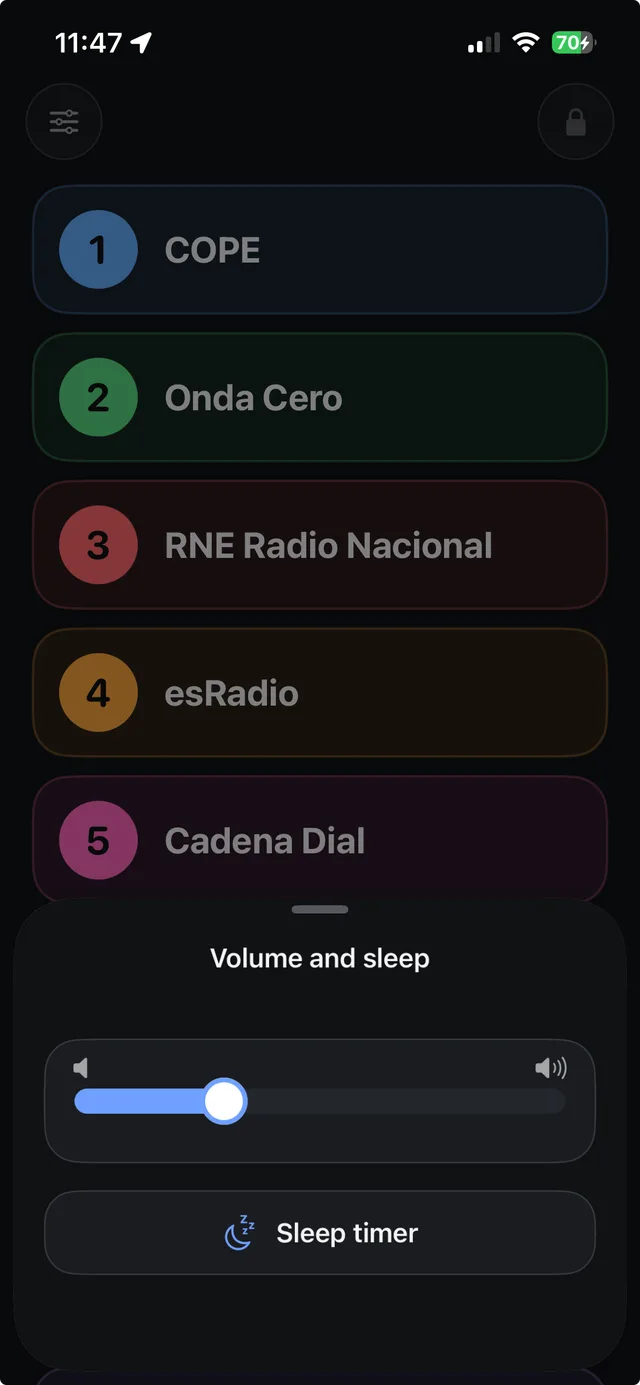
The app becomes a single screen with those stations as large colour buttons. No menus, no settings, nothing that can be pressed by mistake.
They are found by colour and by number, without stopping to read. "Press the green one" works over the telephone, which is how these things get sorted out.
Lock mode leaves the radio playing and locks everything else, so nothing gets moved. It comes off with a five-second hold. It is free.
This is a real iPhone. Neither shot is a mock-up: they are the app running.
Five buttons and nothing else. The volume is a thick bar you can see from across the room, behind the button in the corner.
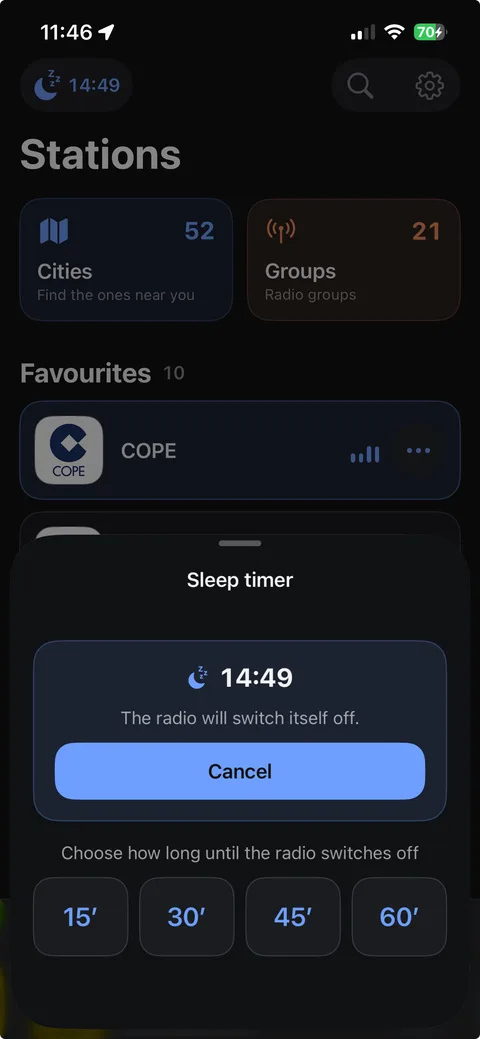
With the timer set, the time it will stop is in plain sight and removing it is a button, not a trick.
No. Listening to the 2,400-plus stations, simple mode and lock mode are all free. There is a subscription for smaller things: the widget playing without opening the app, choosing the sleep timer's durations, the widget's colours and how many recently played stations the front page keeps.
The catalogue holds over 2,400 stations across all 52 provinces, including many municipal and county ones. If yours is missing there is a form inside the app to ask for it: every request is checked by hand and added.
No. Open it and listen. No email, no phone number, no account of any kind.
Yes. It keeps playing with the phone locked and appears on the Lock Screen and in Control Centre like any other audio app. It also works over AirPlay and in the car.
Like any internet radio: around 50 MB an hour, depending on each station's quality. On wi-fi it does not count against a mobile plan.
Yes. Call it whatever it is called in your house and put anything you like underneath. It stays on your phone and changes nothing about what you hear.
The app retries quietly a few times before saying anything, because a tunnel or a lift is not a fault. If the station really is down, it says so.
Free, no account, no ads. For iPhone and iPad.